> For the complete documentation index, see [llms.txt](https://developer.eagle.cool/plugin-api/llms.txt). Markdown versions of documentation pages are available by appending `.md` to page URLs; this page is available as [Markdown](https://developer.eagle.cool/plugin-api/publishing/update.md).
# Update Plugin
This article will guide you to update your published plugin
## Submit a new version
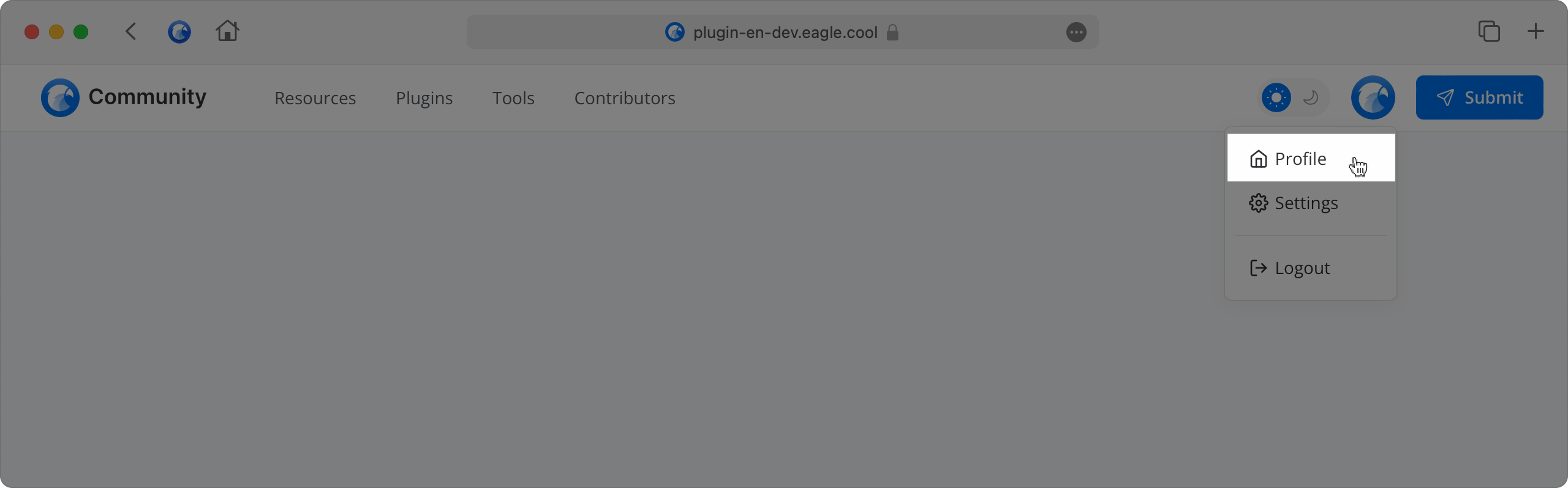
To submit a new version, you need to follow the above steps. First, you need to visit your personal page, click on the plugin you want to submit a new version of, select "Submit New Version", upload the new version of the `.eagleplugin` file, fill in the content of this version update, and submit for review. After the review is completed, your new version can be updated.
If you need to submit a new version, you can follow these steps:
1. Click on the "Avatar" at the top right
2. Select "Profile"
3. Choose "Edit" at the top right of the plugin you want to update
4. Click "Upload New Version" in the upload area
5. Select the plugin you want to submit (the plugin must be a .eagleplugin file)
6. Fill in the content of this version update
7. Submit for review, wait for the review results, and implement the update
Every new version goes through the initial scan and human review again. The update appears in the Eagle Plugin Center only after both stages pass. Before submitting, make sure the package, store listing, and changelog all match the current version. See the [Review Process](/plugin-api/plugin-review/review.md) and [Review Results and Resubmission](/plugin-api/plugin-review/results.md) for details.